


OVERVIEW
AlterNET Code Editor is a .NET component library that brings efficient code editing functionality into your WinForms and WPF .NET applications. It offers a range of features, such as syntax highlighting, code completion, code outlining, visual text indicators, and many more, matching the speed and convenience of the Microsoft Visual Studio text editor.
Code Editor supports most programming languages and works best for C#, Visual Basic, TypeScript, JavaScript, Python, and XML text editing.
WHAT'S INSIDE
ULTRA-FAST TEXT EDIT CONTROL
WinForms and WPF text edit controls support most of the features of the Visual Studio .NET text editor, including customizable syntax highlighting, code completion, outlining, word wrapping, searching and replacing, multiple views of the text, bookmarks indicators, line numbers, and more.
ROSLYN-BASED C#/VISUAL BASIC PARSERS
C# and Visual Basic parsers rely on the Microsoft Code Analysis ("Roslyn") platform, which provides open-source C# and Visual Basic compilers with rich code analysis APIs.
Roslyn-based parsers support advanced code editing features, such as code completion, outlining, finding declarations, and highlighting syntax errors.
TYPESCRIPT/JAVASCRIPT PARSERS
TypeScript/JavaScript parsers implement syntax analysis using the Microsoft TypeScript project, which provides a set of code syntax and semantic analysis APIs for parsing TypeScript and JavaScript code.
These parsers support advanced code editing features, including code completion, outlining, highlighting syntax errors, warnings, and code refactoring.
LSP PARSERS
LSP code parsers implement syntax analysis using the LangServer protocol, which provides features like auto-completion, jumping to definition, finding symbol references, etc.
LSP parsers are available for C/C++, Python, Lua, PowerShell, and Java.
ADVANCED PARSERS
Advanced code parsers implement syntax analysis using hard-coded algorithms for many modern programming languages, including Python, C#, Visual Basic, Java, ANSI-C, VBScript, JavaScript, HTML, and XML.
TEXTMATE PARSERS
The regular-expression-based TextMate parser performs syntax highlighting, code outlining, and basic code completion for 40+ commonly used programming languages.
FEATURES

CODE COMPLETION (INTELLISENSE)
Code completion can significantly improve the effectiveness of entering code by guiding possible input values.
Most parsers provide intelligent code completions based on language semantics and the analysis of a user’s source code. If a parser knows possible completions, the suggestions window will pop up as you type.
CODE OUTLINING
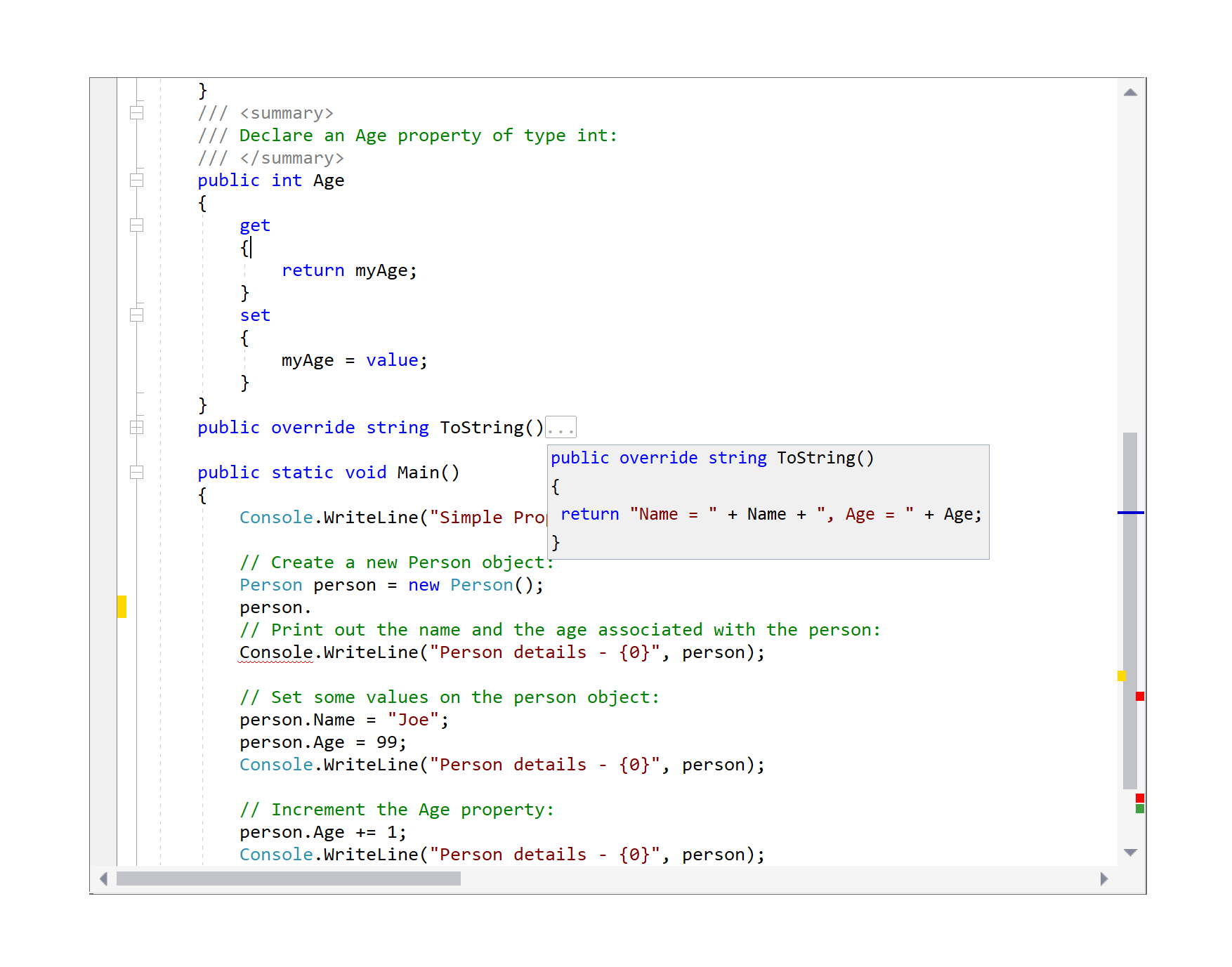
Code outlining is a text navigation feature that can make navigation of large structured texts more effective.
Outline sections are usually defined by the Parser that performs syntax analysis of the text. During text navigation, the user can dynamically fold these sections into an ellipsis ("...") to improve the readability of the text.

CODE FIX AND CODE REFACTORING
Code Fix allows users to fix certain kinds of errors, like implementing interfaces, fixing typos, or adding missing namespaces in the using list, while code refactoring helps modify code to make it easier to maintain, understand, and extend, but without changing its behavior.
Code Fix and Code Refactoring are implemented for Roslyn C#/Visual Basic parsers, and for TypeScript/JavaScript parsers.

SELECTION
Code Editor supports text selection and a wide range of operations on the selected text.
These operations include copying/pasting, drag-n-drop, indenting/unindenting, changing the case of words, formatting, and more.
Selection can be of two types: stream-type and block-type. The user can activate block selection using navigation arrows while holding the Shift and Alt keys together.
VISUAL THEMES
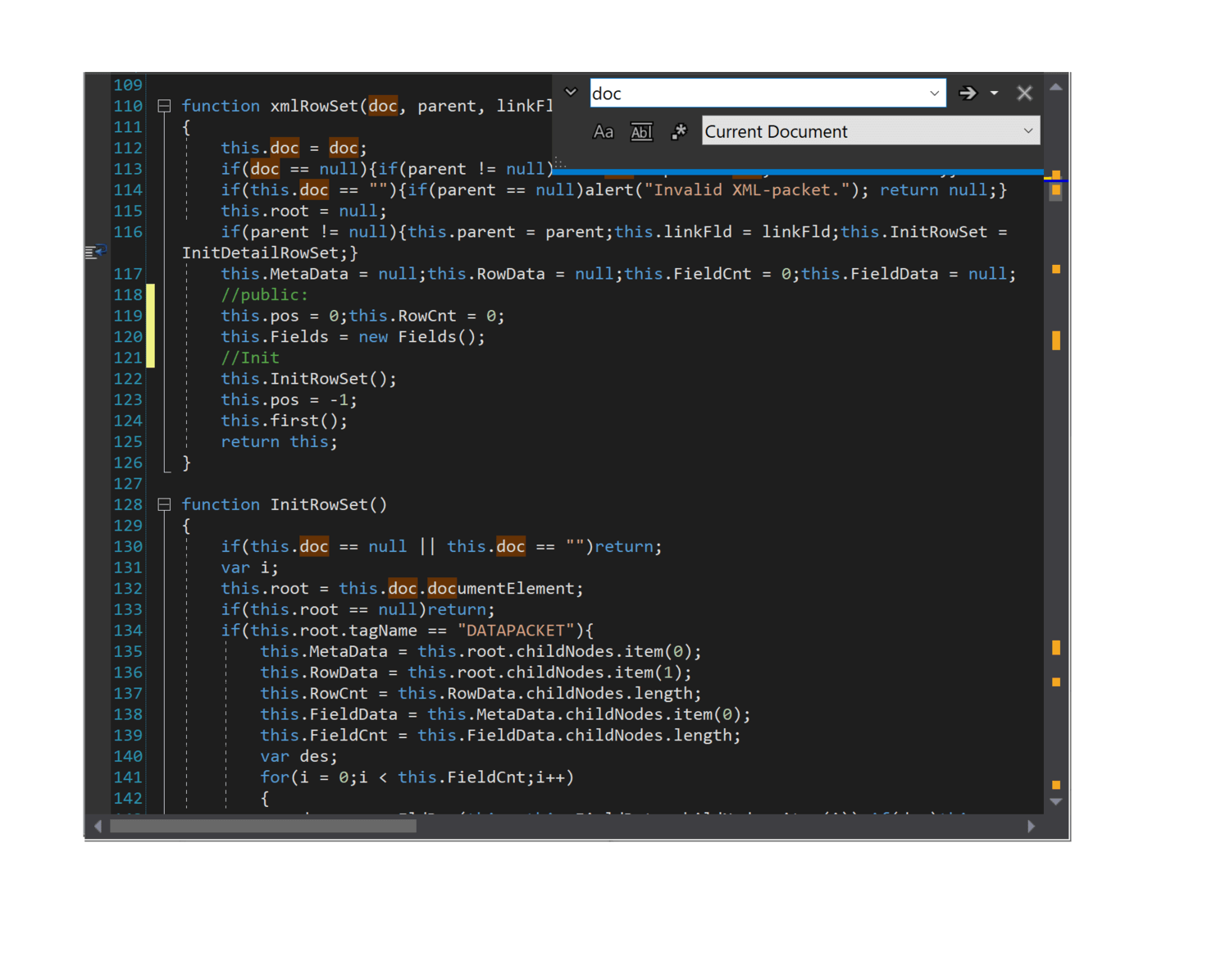
Code Editor supports color themes.
A color theme can control the appearance of all graphical elements of the editor.
While Light, Dark and Visual Studio Code color themes are available out of the box, the developers can configure different color themes.
SEARCH AND REPLACE
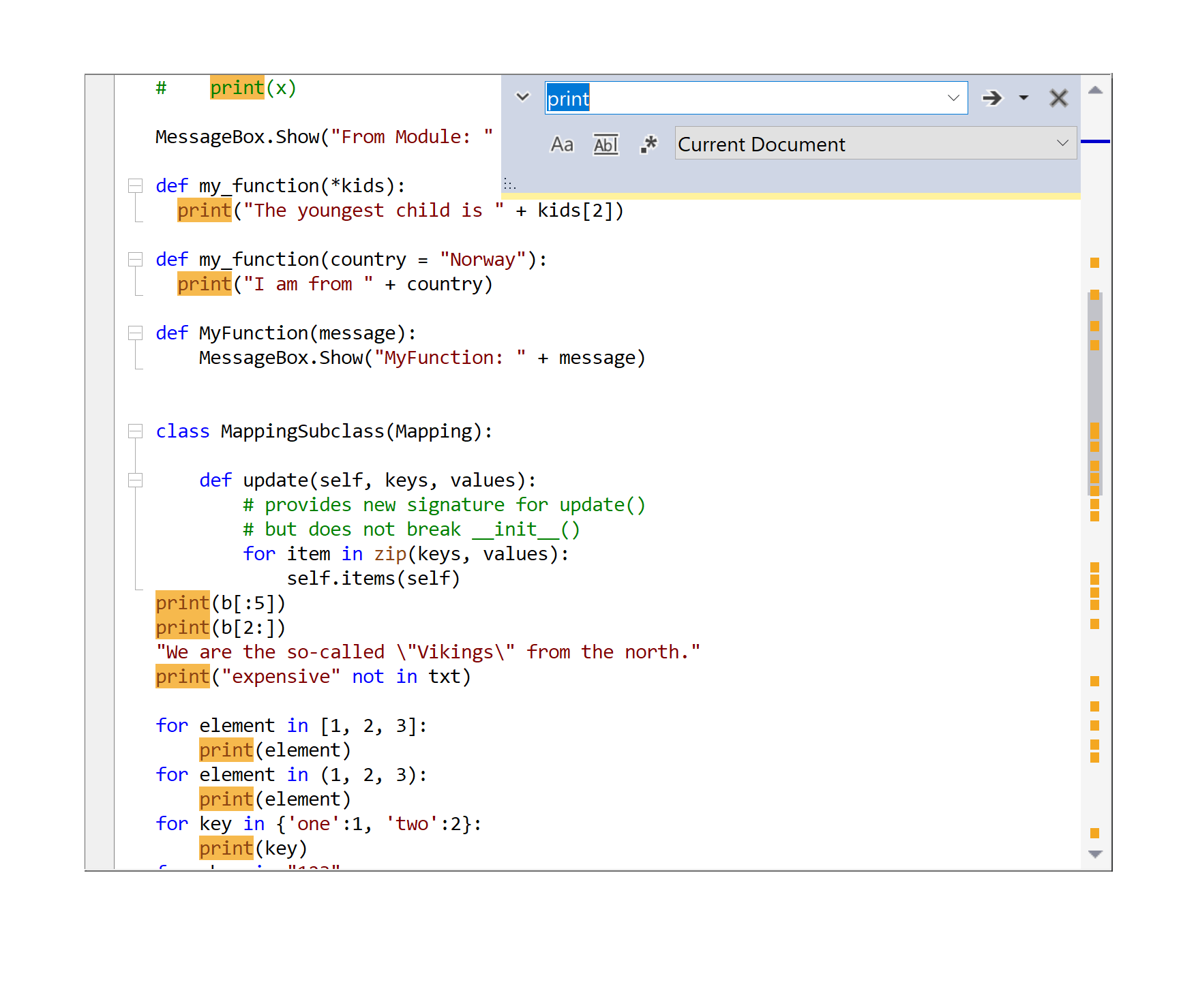
Code Editor supports all of the standard search/replace operations.
The user can specify various search options, such as case sensitivity, range, and regular expression patterns.
Searching as the user types and searching through multiple documents is also supported.

UNDO/REDO
Code Editor supports unlimited multilevel undo/redo.
Undo allows rolling back changes made to the text. Undo can be configured to perform a group of the same operations simultaneously and include navigations in an undo buffer.
It also enables tracking of the modified text lines, highlighting them visually.

SCROLL BAR ANNOTATIONS
The Vertical scrollbar area can display special items throughout the document.
These indicators allow you, at a glance, to see where things like breakpoints, bookmarks, errors, code changes, and search occurrences are.

MINIMAP
Minimap gives users a high-level overview of the source code, which is useful for quick navigation and code understanding.
When on, a document’s minimap is displayed on the right side of the editor. User can click the shaded area to quickly jump to different sections of your file.
GUTTER
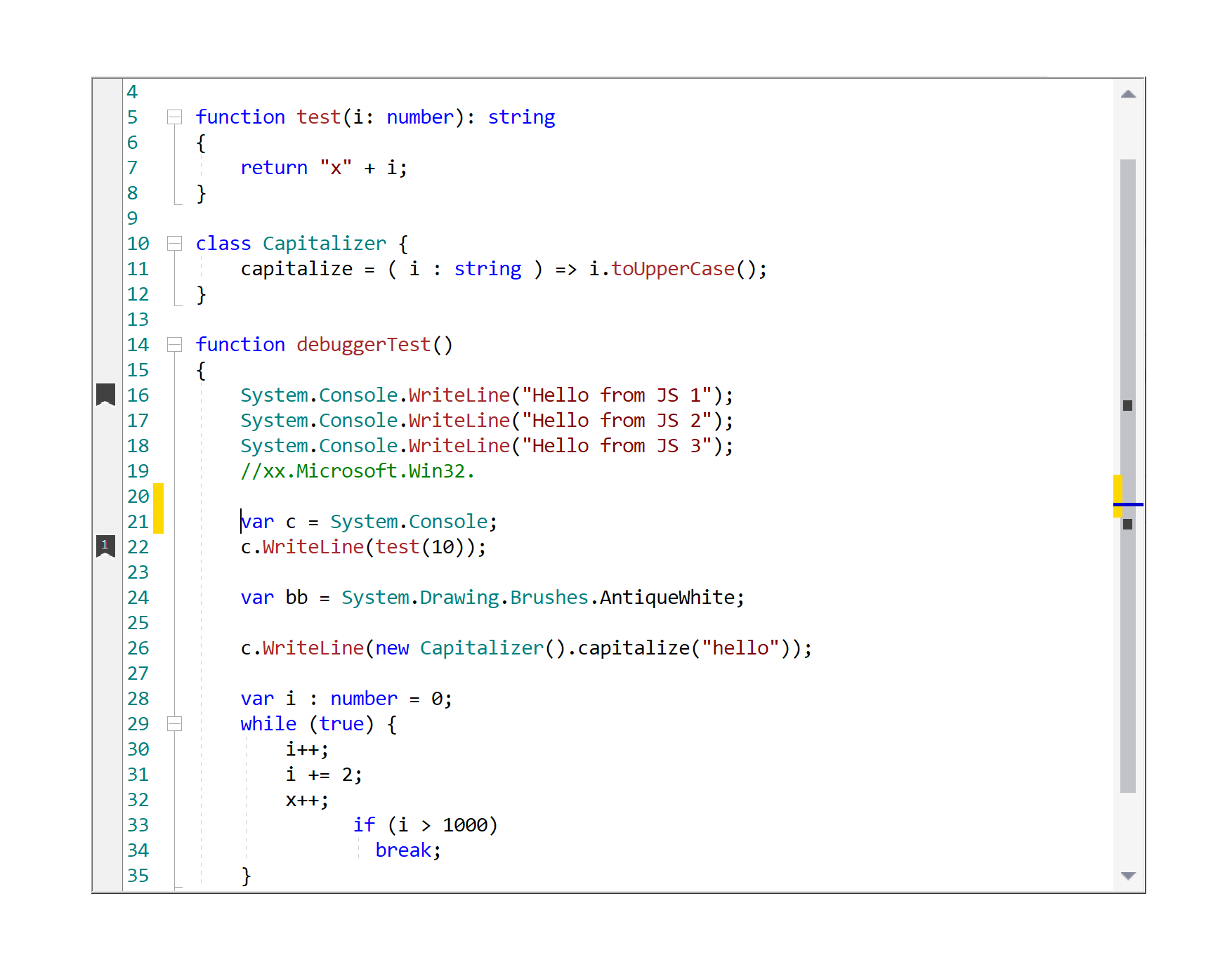
The gutter area can display additional graphical information related to the text content.
The gutter is the area to the left of the text, used to display various indicators for corresponding lines of text, such as bookmarks, line wrapping indicators, line style icons, changed line indicators, and line numbers.
MULTIPLE VIEWS/SPLIT VIEW
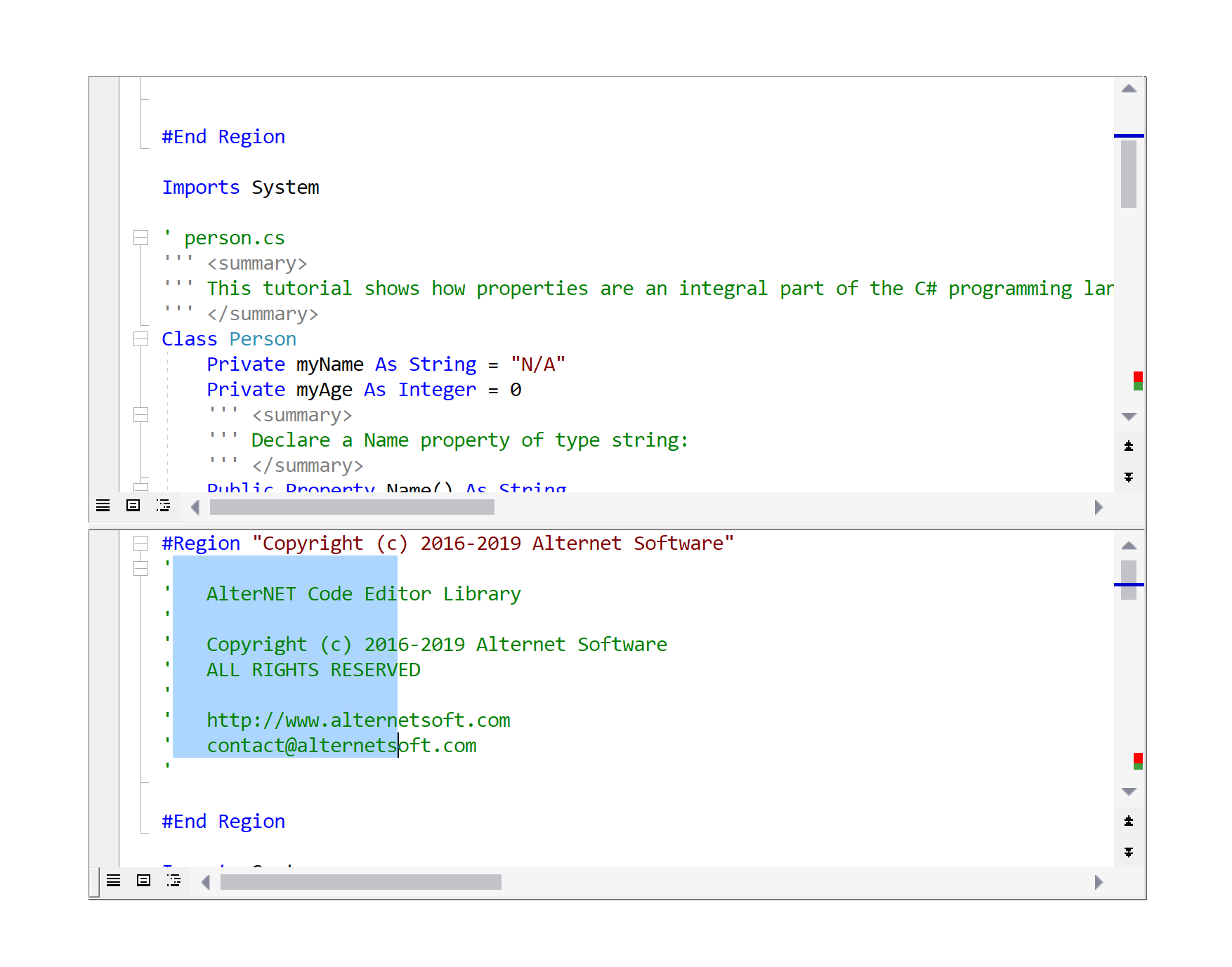
Code Editor supports multiple views of its text content.
It only stores one copy of the text and automatically updates it in all linked views, while navigation works independently within them.
To use this feature, either assign a single TextSource to multiple text edits or configure the text edit control to split into two views vertically or horizontally.

BOOKMARKS
Users can use bookmarks to simplify navigation through the text.
Like with books, navigating through the text can be made more comfortable and efficient using bookmarks. Users can toggle bookmarks on the specific text lines and navigate through them using the Next bookmark and Previous keyboard shortcuts or a shortcut associated with the specific numbered bookmark.
CODE SNIPPETS
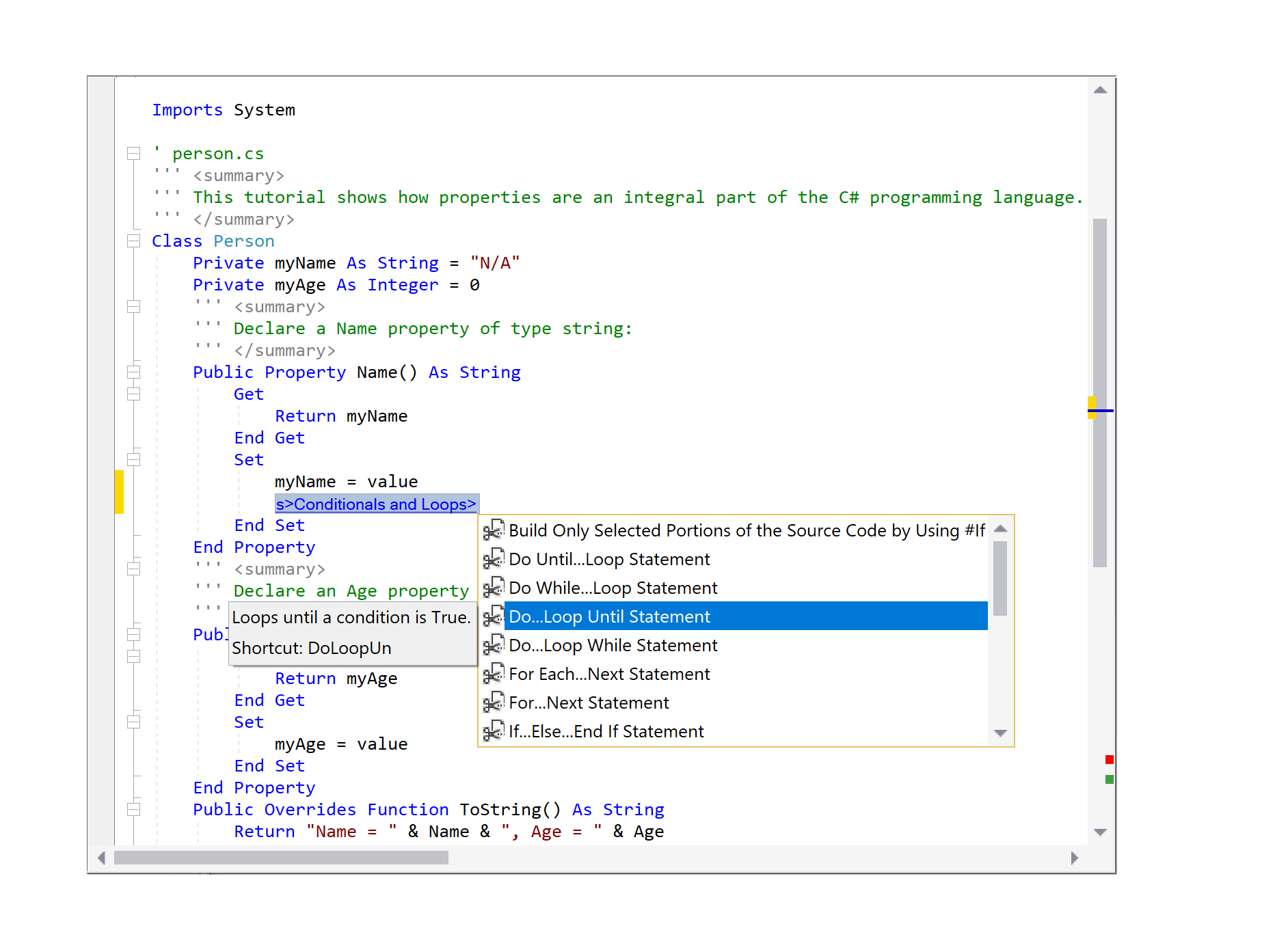
Code Editor allows inserting frequently used text fragments into the editor's content.
Code snippets are text fragments frequently used when a user writes code. Users can insert code snippets to the editor's content by pressing the Tab key after a snippet shortcut or via the Ctrl+K+X shortcut key. If the code snippet defines any fields, the field values are changed altogether along the whole code snippet.
LINE STYLE INDICATORS
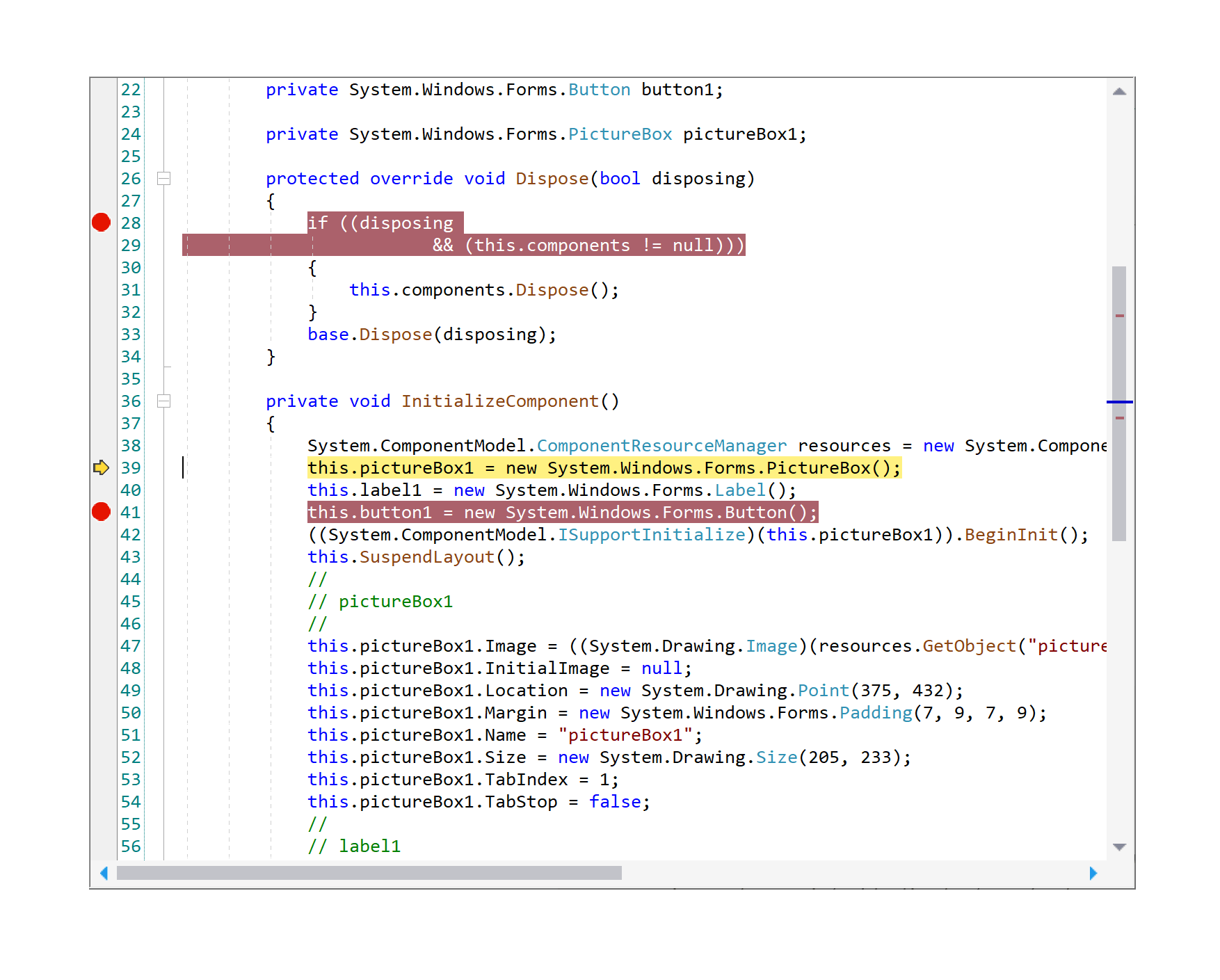
Single line or continuous text range can be associated with the line style represented by the visual indicator in the gutter area and a different background color.
An example where line styles become helpful is an application with debugging capabilities, with the ability to set breakpoints and visually highlight statements executed when debugging the code.
PRINT AND PRINT PREVIEW
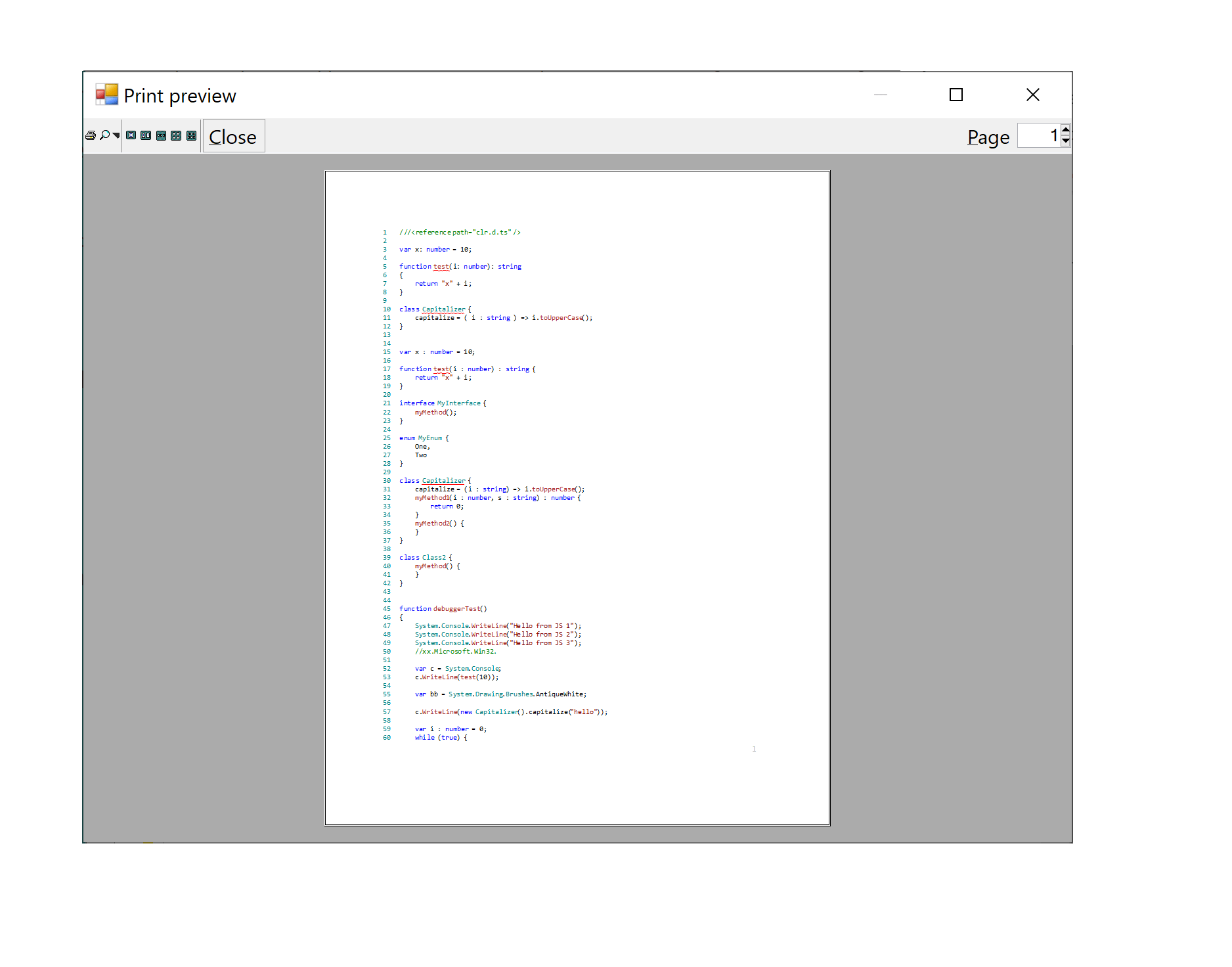
Code Editor content can be sent to the printer directly or via the print preview dialog.
The user can customize the output using different options, such as color printing, the printing of line numbers, page numbers, and user-defined tags.
The print preview feature lets users to preview the document before sending it to the printer.
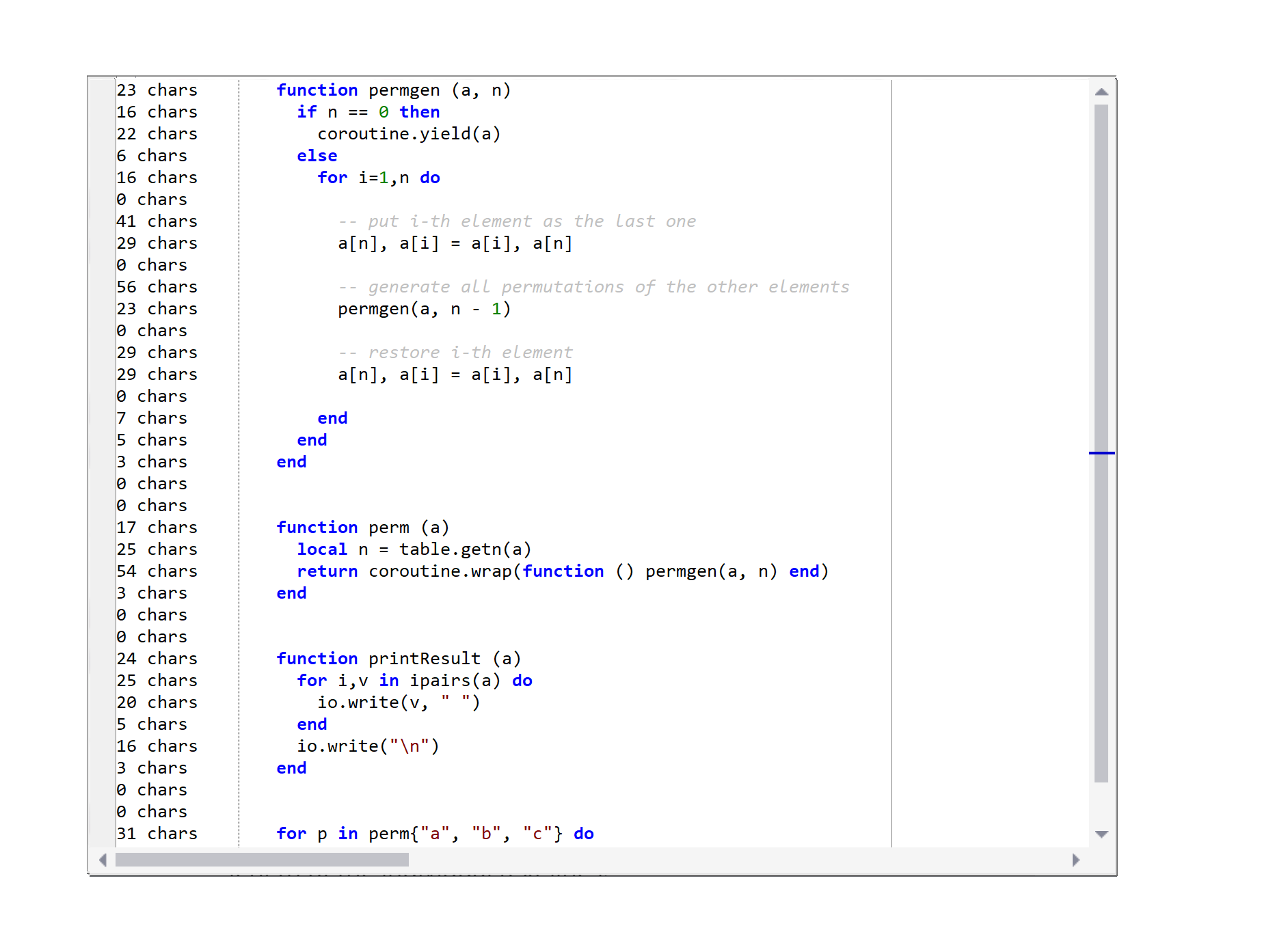
MARGIN AND USER MARGIN
The margin indicates a particular column visually, while the User Margin can display custom information associated with the lines.
Typically, the margin provides a visual indication of a particular column, for example, to let the user know the maximum desired length of individual text lines.
Developers can configure the User Margin to provide users with relevant information, such as the number of characters for each line in the editor.
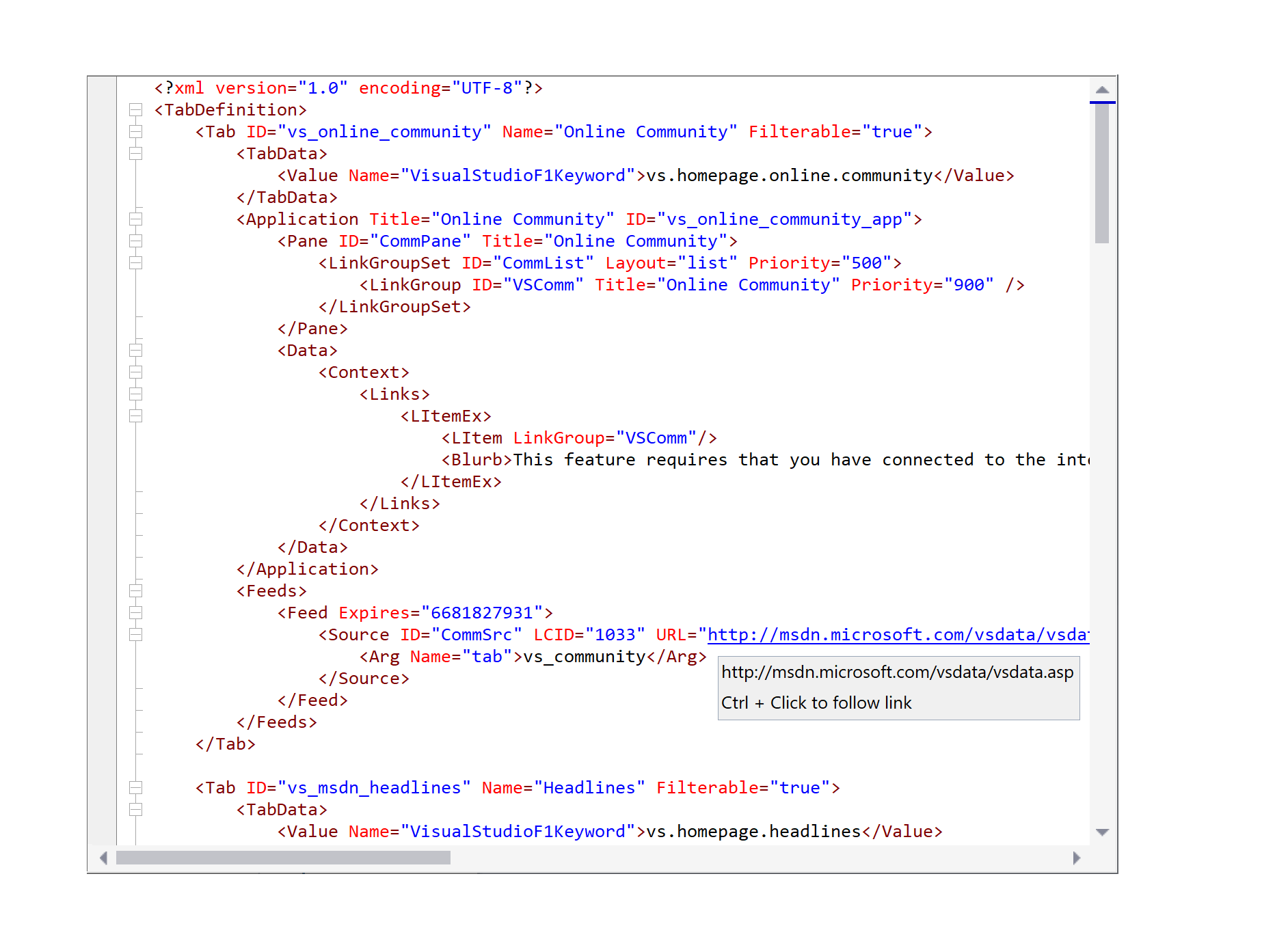
HYPERTEXT
Code Editor can highlight and navigate through hyperlinks displayed in the text.
Developers can configure Code Editor to highlight URLs within the text with a distinct color and specify custom actions for clicking these URLs instead of launching a web browser or an email client.
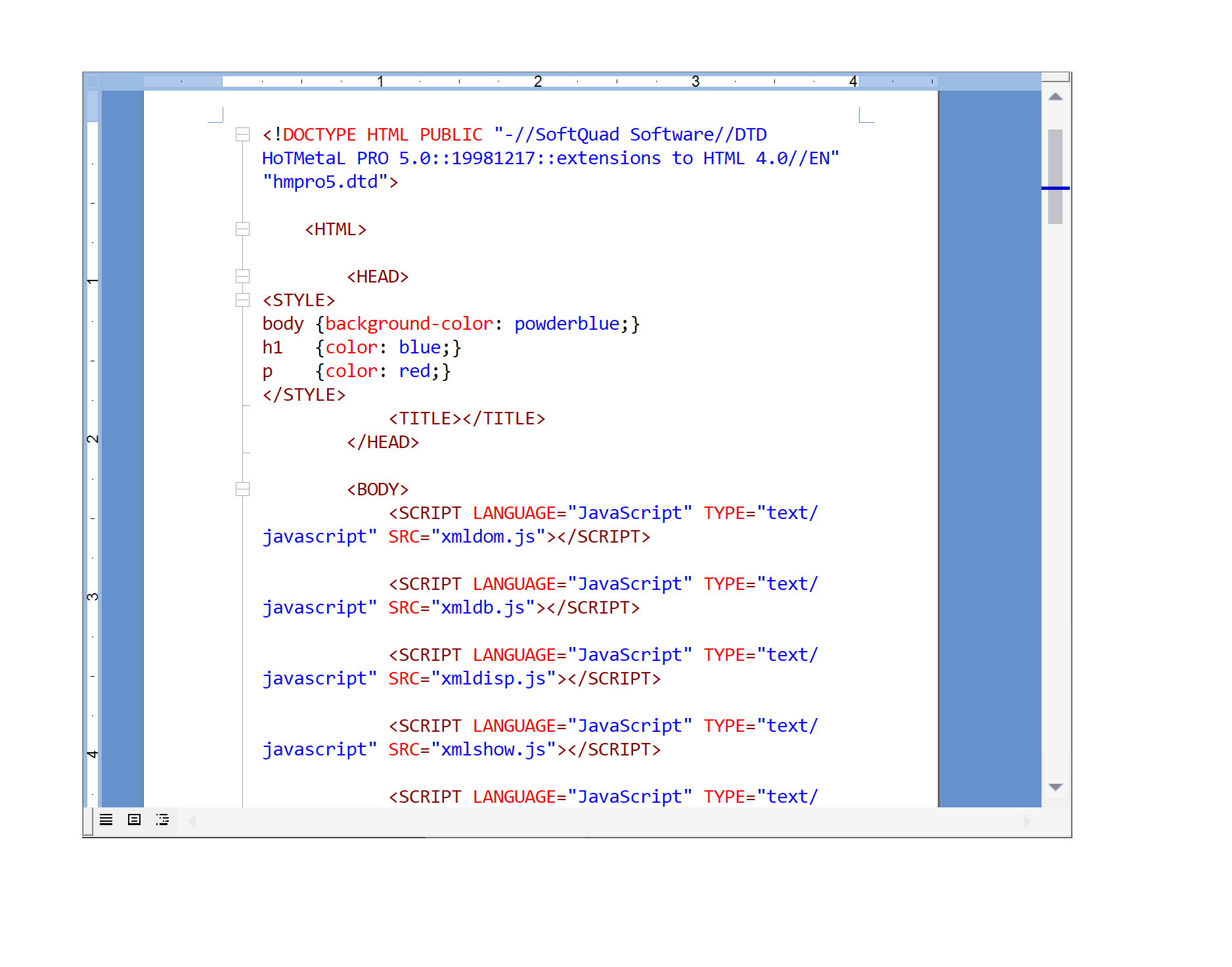
PAGE LAYOUT
Code Editor supports a page layout mode, making it easy to see how the text will look on the printed page.
Users can change page margins with horizontal and vertical rulers and switch white spaces between the pages with a single mouse click.
*Not available in the WPF edition.
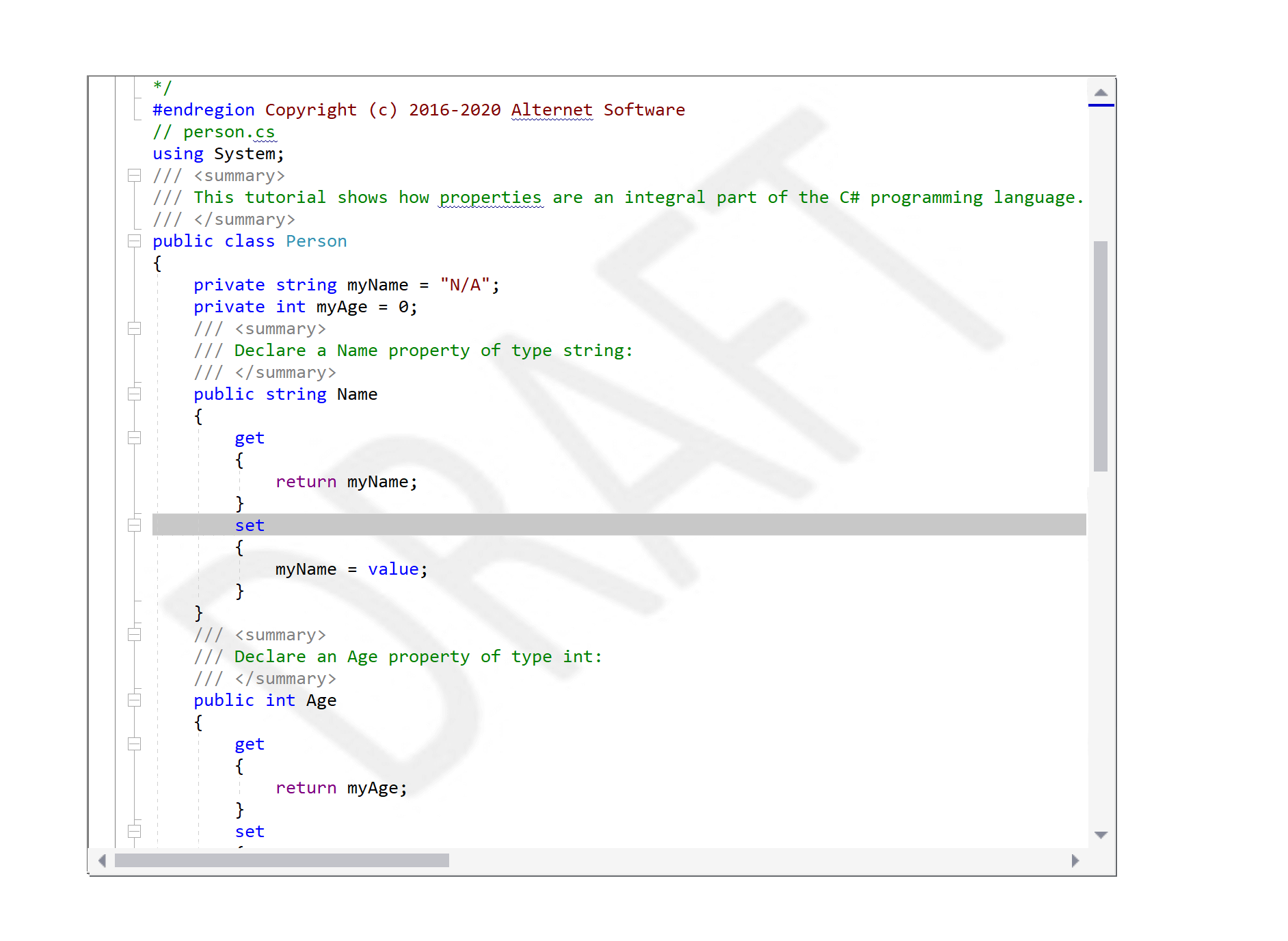
MISCELLANEOUS DISPLAY OPTIONS
Various display options provide additional visual feedback to the users.
Code Editor can be configured to display watermarks and white-space symbols such as spaces, tabs, end-of-line, and end-of-file markers.
It allows users to highlight matching braces and the current line and supports third-party spelling engines' integration to highlight misspelled words while typing.
EXPLORE DEMOS
Check out our demos and quick start guide projects to see AlterNET Studio in action and learn more about its features.
DOWNLOAD FREE EVALUATION
The evaluation version of AlterNET Studio is fully-functional and lasts 30 days from installation.
ORDER YOUR COPY TODAY
We provide a multi-user discount for AlterNET Studio licenses and a 30-day unconditional money-back guarantee.